Steam Deck and Handheld Performance
What to expect when running Disgaea Mayhem on Steam Deck, ROG Ally, and other portable PCs — and how to get the best results.
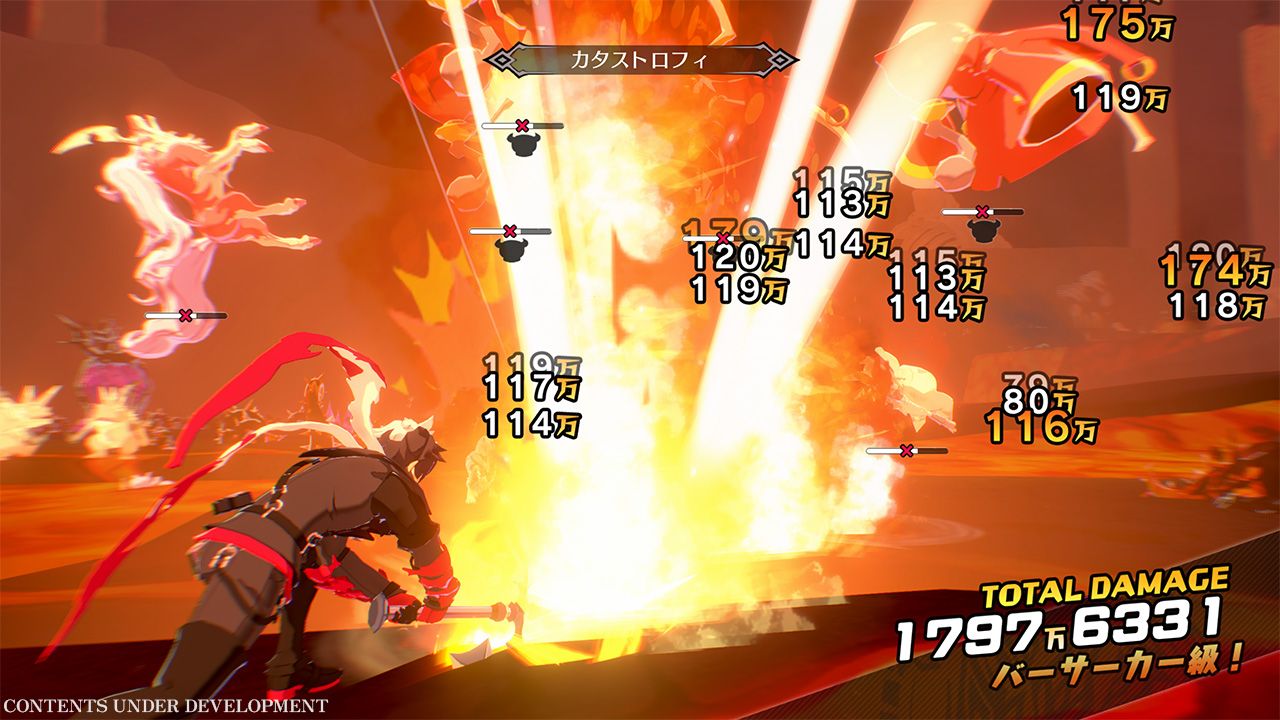
Disgaea Mayhem is available on Steam, which means Steam Deck owners can install it immediately. However, portable play is not the recommended way to experience this title. Community testing within days of the July 23, 2026 Western launch converged on the same conclusion: the game is technically playable on Steam Deck but suffers from motion ghosting, unstable frame pacing, and a practical frame rate ceiling around 45 fps during combat-heavy scenes.
This guide consolidates verified handheld findings so you can decide whether to buy on Steam for Deck-only use, or whether a docked PS5 or desktop PC is the better investment.
Steam Deck Verified Status
Valve assigned Disgaea Mayhem a Playable rating on Steam Deck at launch — not Verified. The distinction matters: Playable indicates the game runs with minor issues, while Verified implies a smoother default experience. Several outlets criticised the rating as optimistic given visible ghosting and frame pacing problems reported by players on Reddit, Steam Deck HQ, and Handheld Guru within the first 48 hours after release.
If you rely on the Verified badge as a buying signal, treat Playable here as a warning to test the demo on your Deck before purchasing the full game.
Ghosting and Visual Artifacts
The most frequently reported issue on Steam Deck is motion ghosting during fast camera movement and large enemy wave sequences. Ghosting appears as trailing silhouettes behind moving characters and projectiles, which makes timing dodges and reading enemy telegraphs harder than on PS5 or desktop PC.
Ghosting severity varies with:
- Refresh rate and frame cap settings — uncapped frame rates can worsen pacing inconsistency
- Item World wave density — more enemies on screen correlate with more visible artifacts
- Proton compatibility layer version — keeping SteamOS updated may improve stability over time
There is no in-game toggle to disable ghosting. Mitigation is limited to lowering in-game effects, capping frame rate, and accepting reduced visual clarity.
Frame Rate Expectations
Independent testing suggests Disgaea Mayhem on Steam Deck typically holds 30–45 fps during standard combat and dips further during Item World survival waves with high enemy counts. The game does not maintain a stable 60 fps on Deck hardware at default settings.
Recommended approach for smoother pacing:
- Cap frame rate at 40 fps using Steam Deck performance overlay limits
- Lower resolution scaling to 720p or use Steam Deck’s native 800p with FSR if available
- Disable unnecessary background applications before long Item World sessions
Even with these adjustments, expect a experience closer to Switch docked mode than PS5 — functional, not ideal.
Recommended Steam Deck Settings
| Setting | Suggestion |
|---|---|
| Resolution | 1280×800 native or 720p scaled |
| Frame limit | 40 fps cap |
| TDP limit | 12–15W for battery; 18W docked if using a USB-C hub |
| Controls | Full controller support; remap dodge to accessible shoulder button |
| Storage | ~2 GB install — fits easily on internal or SD card |
Use the free demo (released July 9, 2026) on your Deck before buying. Demo performance closely matches the full game’s opening chapters.
ROG Ally and Other Handheld PCs
Testing on ROG Ally and similar x86 handhelds showed similar issues to Steam Deck — playable but with ghosting and sub-60 fps during busy combat. Higher-TDP devices may hold frame rates slightly better but do not eliminate ghosting entirely. Handheld PC users should prefer docked play with an external display when possible.
When Steam Deck Still Makes Sense
Steam Deck remains a reasonable choice if:
- You already own the game on Steam and want occasional portable sessions
- You prioritise convenience over visual fidelity
- You plan to play primarily in docked mode with a USB-C display
Steam Deck is not recommended if:
- This would be your only gaming device for Disgaea Mayhem
- You are sensitive to motion ghosting or unstable frame pacing
- You intend long Item World grinding sessions where visual clarity matters
Platform Alternatives
For the best experience, see the Platform Guide comparison:
- PlayStation 5 — stable 60 fps, fastest console loads
- PC desktop — uncapped fps on capable hardware, no ghosting on a proper monitor
- Switch 2 Performance Mode (docked) — best Nintendo TV option
Related Pages
- Launch reviews roundup — critic and community consensus after release
- Launch Day coverage — editions, demo, and day-one patch
- Getting Started — controls and first-chapter tips
Frequently Asked Questions
Quick answers to the most common questions from Disgaea Mayhem players.
Is Disgaea Mayhem Steam Deck Verified?
Valve rated it Playable at launch, not Verified. Players reported ghosting and frame pacing issues that make the Playable badge feel optimistic for action-focused sessions.
Can I fix ghosting with Proton experimental?
Ghosting is primarily a rendering and frame pacing issue rather than a Proton compatibility bug. Switching Proton versions may help marginally but does not fully eliminate trailing artifacts reported at launch.
Does the demo run the same on Steam Deck as the full game?
Yes. The July 9 demo covers three stages and all seven weapon types, making it the best pre-purchase performance test for Deck owners.
Will a future patch fix Steam Deck performance?
NIS America has not announced handheld-specific patches as of late July 2026. Monitor the Updates hub for post-launch notes that may address PC portable performance.