Cheat Shop Settings Guide
Master every Cheat Shop slider — from beginner-friendly defaults to maximum-difficulty Item World farming configurations.
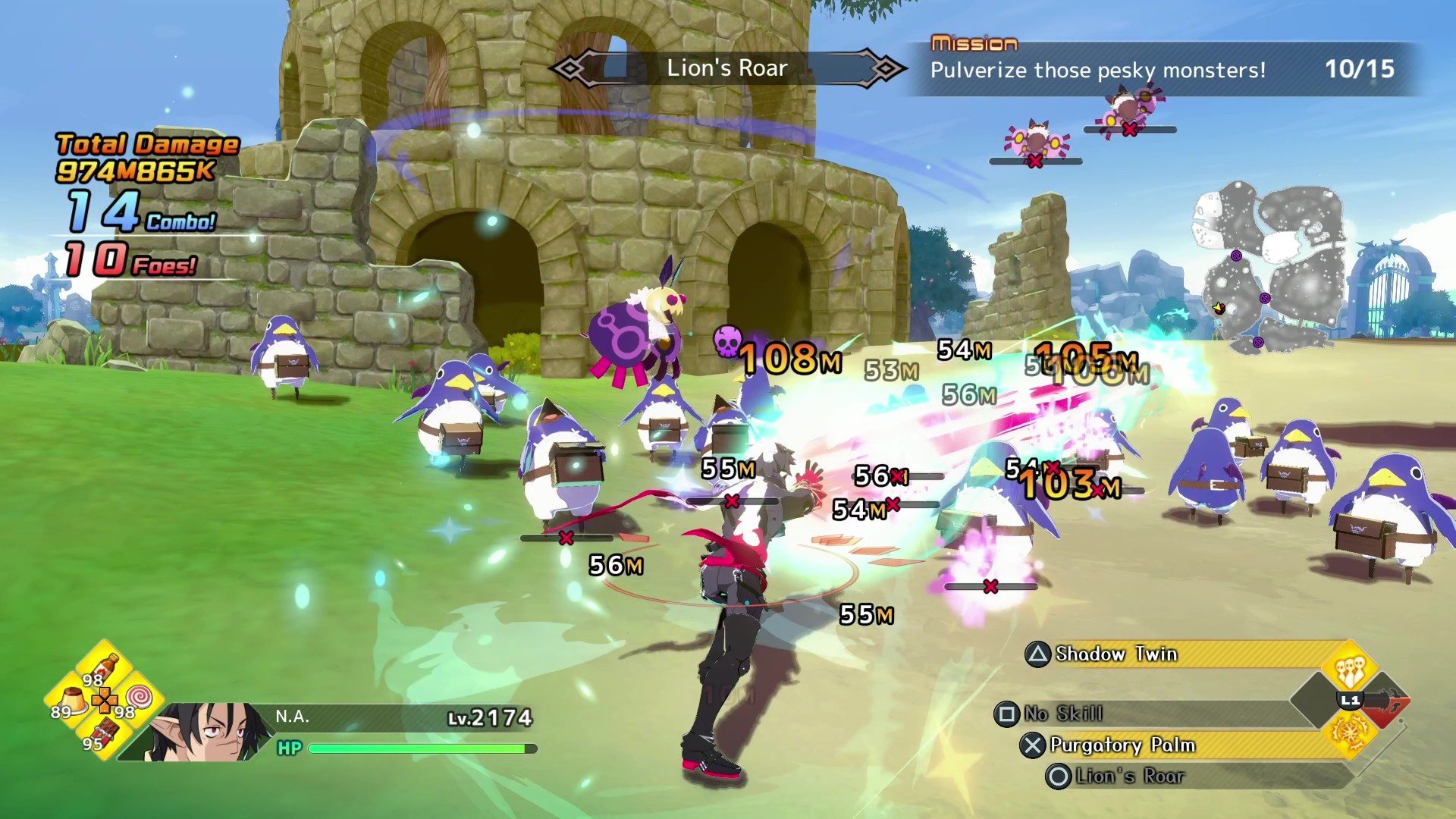
The Cheat Shop in Disgaea Mayhem is the game’s official difficulty and reward tuning system — functionally replacing the redemption codes found in free-to-play titles. Once unlocked through the Dark Chocolate Assembly, it gives you granular control over enemy strength, experience gains, item levelling speed, and currency multipliers.
This guide explains every available setting, recommends configurations for common goals, and clarifies what the Cheat Shop does and does not affect.
Unlocking the Cheat Shop
The Cheat Shop is not available at game start. You must pass a bill in the Dark Chocolate Assembly to unlock it. Until then, all difficulty parameters use fixed defaults.
Once unlocked, access the Cheat Shop from the hub world before any mission or Item World dive. Changes apply to the next activity you start — they do not retroactively affect runs already in progress.
Complete Settings Reference
Enemy Strength
Scales enemy HP, damage output, and defensive stats relative to the default curve.
- Lower values — Easier combat, faster story progression, less Enhancement Point yield per Item World wave
- Higher values — Harder combat, greater experience and Enhancement Point rewards per enemy defeated
Recommended for veterans who find default difficulty too easy after Item World grinding. Pair with reduced N.A. stats for a genuine challenge.
N.A.’s Stats
A reverse-difficulty slider that reduces N.A.’s effective base stats.
- Use this when you have over-levelled through Item World and want story chapters to feel challenging again
- Does not affect equipment stats — only N.A.’s character-level contribution
- Useful for players who accidentally broke early-game balance by diving too aggressively
Experience Multiplier
Adjusts experience gained per enemy defeated.
- 1x (default) — Standard progression curve
- Up to 10x — Dramatically accelerates level gains
The most-used setting for Item World farming sessions. Setting to maximum while keeping Enemy Strength at a level that still yields Enhancement Points is the standard grind configuration.
Mana Multiplier
Adjusts mana (MP-equivalent resource) gained from defeated enemies.
- Relevant for Staff users and skill-heavy builds
- Less impactful than Experience multiplier for most weapon types
- Increase when skill cooldown management becomes a bottleneck
Money Multiplier
Adjusts Nether Dollars earned per mission and per enemy.
- Useful when you need assembly bribe funds or shop purchases
- Does not affect Item World Enhancement Point gains
- Pair with Dark Chocolate Assembly bills that increase shop inventory quality
Item Level Up Rate
Modifies how quickly equipment gains levels during Item World dives.
- Higher values — Faster item stat growth per floor cleared
- Essential for efficient gear upgrading alongside character levelling
- Combine with maximum Experience multiplier for dual-progression farming
Recommended Configurations
Story Mode — First Playthrough
Keep all settings at default. The game is intentionally approachable during the first eight chapters. Over-tuning multipliers before you understand Enhancement Points and Reincarnation mechanics wastes the learning curve.
Item World Farming (Mid-Game)
| Setting | Value |
|---|---|
| Experience Multiplier | Maximum (10x) |
| Item Level Up Rate | High |
| Enemy Strength | Match your gear (challenging but not dying) |
| N.A.’s Stats | Default |
| Money Multiplier | Default or 2x if broke |
This configuration maximises levels and item growth per hour without making runs trivial.
Post-9999 Challenge Runs
| Setting | Value |
|---|---|
| Enemy Strength | High |
| N.A.’s Stats | Reduced |
| Experience Multiplier | Default |
| Item Level Up Rate | Default |
For players who have reached the level cap and want combat that requires skill rather than raw stats.
Speed Leveling to Reincarnation Threshold
| Setting | Value |
|---|---|
| Experience Multiplier | Maximum |
| Enemy Strength | Low–Medium |
| Item Level Up Rate | High |
Focus on hitting the Reincarnation level threshold quickly. See the Reincarnation guide for timing advice.
What the Cheat Shop Does Not Affect
- Trophy and achievement eligibility on PS5 and Steam
- Existing save data — changes apply forward only
- Multiplayer — the game has no online component
- Magichange or Battle Buddy mechanics — companion systems are independent
- Story progression gates — bills in the Dark Chocolate Assembly still require passing votes
Resetting Settings
Return to the Cheat Shop at any time and reset all sliders to default. There is no penalty for experimentation — try configurations freely and revert when a setup stops feeling fun.
For the full unlock walkthrough, see the main Cheat Shop guide and the Dark Chocolate Assembly guide.
Frequently Asked Questions
Quick answers to the most common questions from Disgaea Mayhem players.
Can I use maximum Experience multiplier without making the game too easy?
Yes. Increase Enemy Strength proportionally so enemies still deal meaningful damage. The goal is faster progression, not zero challenge.
Do Cheat Shop settings persist between sessions?
Yes. Your last configured settings are saved and apply automatically to the next mission or Item World dive until you change them.
Is there a Cheat Shop setting for drop rates?
Not directly. Item quality and drop frequency are primarily influenced by Item World floor level and equipment rarity tier, not Cheat Shop sliders.
Should beginners touch the Cheat Shop at all?
Beginners should unlock the Cheat Shop for access but leave settings at default until they understand Item World mechanics. Premature max-multiplier grinding can skip the learning phase that makes later optimisation meaningful.